
cylab / cyrange

The Laravel Framework.
Requires
- ext-curl: *
- ext-json: *
- ext-soap: *
- bacon/bacon-qr-code: ^2.0
- cylab-be/php-vbox-api: ^1.8.4
- cylab/php-guacamole-api: ^2.0.1
- cylab/system: ^1.2
- doctrine/dbal: ^2.10
- fideloper/proxy: ^4.0
- laravel/framework: ^6.0
- league/commonmark: ^1.6
- phpseclib/phpseclib: ^3.0
- pion/laravel-chunk-upload: ^1.5
- pragmarx/google2fa-qrcode: ^3.0
- predis/predis: ~1.0
- symfony/yaml: ^4.3.0
- vanilla/garden-schema: ^2.3
Requires (Dev)
- barryvdh/laravel-debugbar: ^3.2
- barryvdh/laravel-ide-helper: ^2.6
- enlightn/security-checker: ^1.4
- facade/ignition: ^1.4
- fzaninotto/faker: ^1.4
- insolita/unused-scanner: ^2.3
- laravel/browser-kit-testing: ^5.0.0
- laravel/envoy: ^2.8
- laravel/tinker: ^1.0
- laravel/ui: ^1.0
- mockery/mockery: ^1.0
- nunomaduro/collision: ^3.0
- nunomaduro/larastan: ^1.0
- phpunit/phpunit: 9.3.*
- slevomat/coding-standard: ^7.0
- squizlabs/php_codesniffer: ^3.6
- tdebatty/laravel-resource-generator: ^6.1.0
Suggests
None
Provides
None
Conflicts
None
Replaces
None
- dev-master
- 1.5.0
- 1.4.0
- 1.3.1
- 1.3.0
- 1.2.0
- 1.1.29
- 1.1.28
- 1.1.27
- 1.1.26
- 1.1.25
- 1.1.24
- 1.1.23
- 1.1.22
- 1.1.21
- 1.1.20
- 1.1.19
- 1.1.18
- 1.1.17
- 1.1.16
- 1.1.15
- 1.1.14
- 1.1.13
- 1.1.12
- 1.1.11
- 1.1.10
- 1.1.9
- 1.1.8
- 1.1.7
- 1.1.6
- 1.1.5
- 1.1.4
- 1.1.3
- 1.1.2
- 1.1.1
- 1.1.0
- 1.0.36
- 1.0.35
- 1.0.34
- 1.0.33
- 1.0.32
- 1.0.31
- 1.0.30
- 1.0.29
- 1.0.28
- 1.0.27
- 1.0.26
- 1.0.25
- 1.0.24
- 1.0.23
- 1.0.22
- 1.0.21
- 1.0.20
- 1.0.19
- 1.0.18
- 1.0.17
- 1.0.16
- 1.0.15
- 1.0.14
- 1.0.13
- 1.0.12
- 1.0.11
- 1.0.10
- 1.0.9
- 1.0.8
- 1.0.7
- 1.0.6
- 1.0.5
- 1.0.4
- 1.0.3
- 1.0.2
- 1.0.1
- 1.0.0
- 1.0.0-RC8
- 1.0.0-RC7
- 1.0.0-RC6
- 1.0.0-RC5
- 1.0.0-RC4
- 1.0.0-RC3
- 1.0.0-RC2
- 1.0.0-RC1
- 0.0.8
- 0.0.7
- 0.0.6
- 0.0.5
- 0.0.4
- 0.0.3
- 0.0.2
- 0.0.1
- dev-dev
- dev-guest
- dev-scenarios
This package is auto-updated.
Last update: 2026-08-28 22:02:35 UTC
README


Automatically deploy and provision virtual machines to run scenarios involving hundreds of machines and users. All machines are then accessible through a web interface...
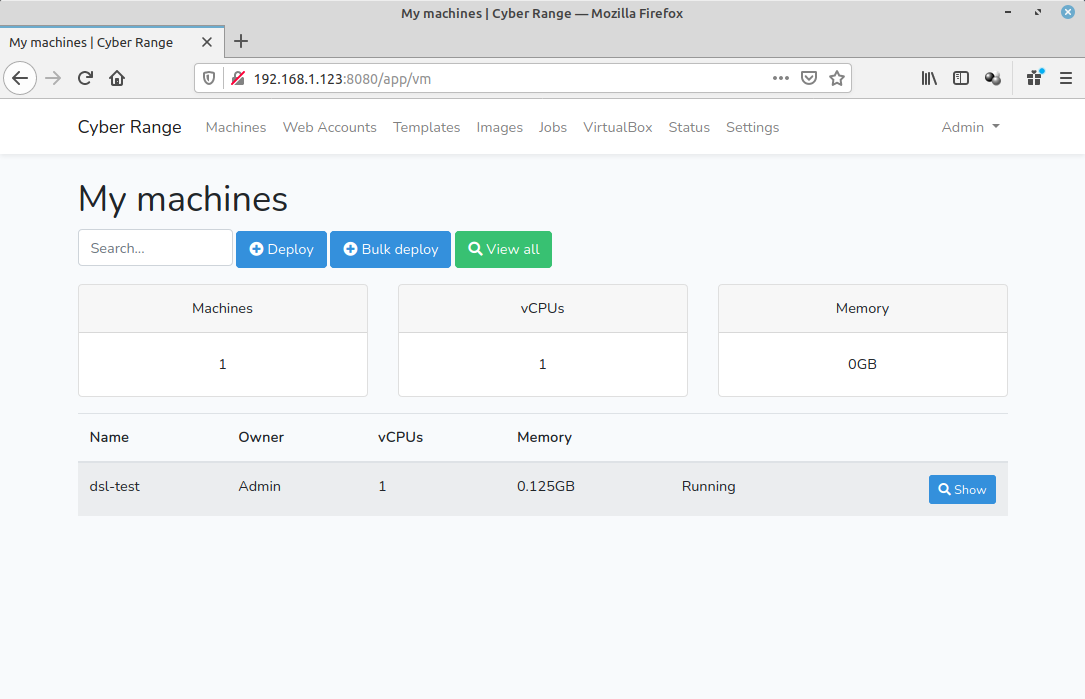
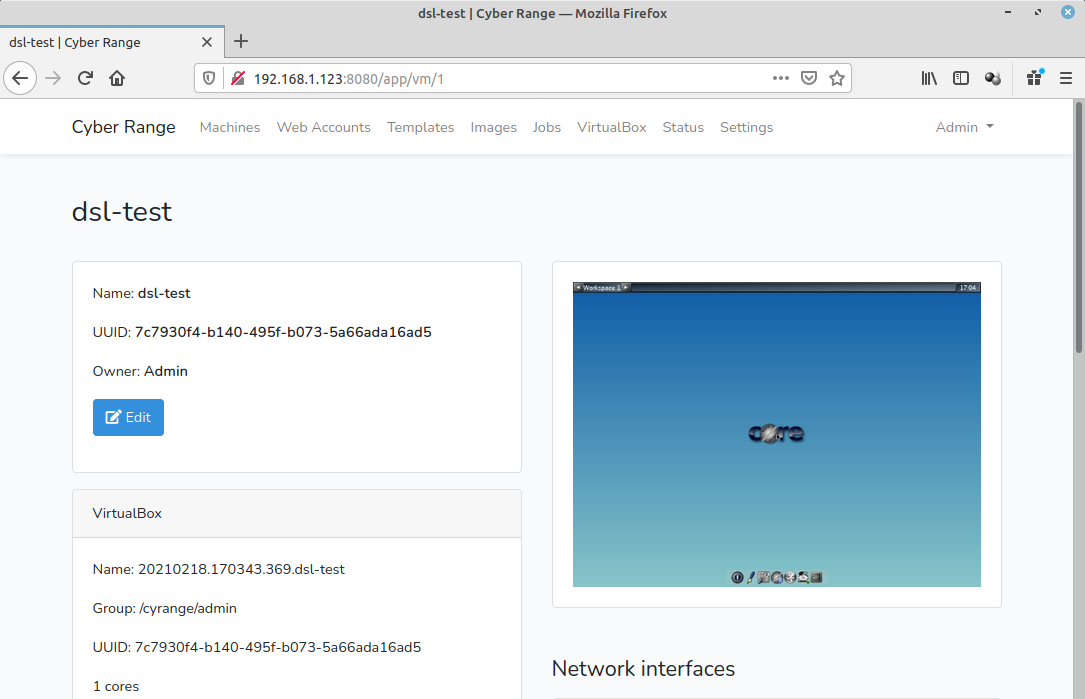
Features:
- possibility to configure the guest system during deployment;
- possibility to perform bulk deployments, for all trainees of a class for example;
- built-in integration with Apache Guacamole web interface, which allows users to easily acces the screen and keyboard (mouse) of the virtual machines using a web browser.
Documentation
- Installation with docker-compose: https://cylab.be/blog/132/installing-the-cyrange-cyber-range-platform
- Create your own images: https://cylab.be/blog/141/create-your-own-vm-image-for-the-cyber-range
Contributing
Cyrange relies on multiple servers. Hence the easiest way to run a development environment is using docker-compose.
Prerequisites
- Install VirtualBox and start the virtualbox-webservice: https://cylab.be/blog/132/installing-the-cyrange-cyber-range-platform#virtualbox
- Install Docker and docker-compose: https://cylab.be/blog/132/installing-the-cyrange-cyber-range-platform#docker
Installation
git clone git@gitlab.cylab.be:cylab/cyrange.git
cd cyrange
cp .env.example .env
Modify `.env`. You should at least modify `VBOX_PASSWORD(and maybeVBOX_ROOT`).
nano .env
Start the containers:
docker-compose up
After a few seconds cyrange will be available at http://127.0.0.1:8080
The default credentials are:
- E-mail:
`cyrange@example.com` - Password:
`admin`
In the development environment, emails are sent to a `MailHog`container. The web interface of MailHog will be available at `http://127.0.0.1:8025```
