
afsakar / filament-leaflet-map-picker

A Filament Forms component that provides an interactive Leaflet map for selecting and storing geographical coordinates.
Package info
github.com/afsakar/filament-leaflet-map-picker
Language:JavaScript
pkg:composer/afsakar/filament-leaflet-map-picker
Fund package maintenance!
Requires
- php: ^8.2
- filament/forms: ^4.0|^5.0
- filament/infolists: ^4.0|^5.0
- filament/support: ^4.0|^5.0
- filament/tables: ^4.0|^5.0
- spatie/laravel-package-tools: ^1.15.0
Requires (Dev)
- larastan/larastan: ^3.0
- laravel/pint: ^1.0
- nunomaduro/collision: ^8.0
- orchestra/testbench: ^10.0|^11.0
- pestphp/pest: ^3.0
- pestphp/pest-plugin-arch: ^3.0
- pestphp/pest-plugin-laravel: ^3.0
- phpstan/extension-installer: ^1.1
- phpstan/phpstan-deprecation-rules: ^2.0
- phpstan/phpstan-phpunit: ^2.0
- spatie/laravel-ray: ^1.26
Suggests
None
Provides
None
Conflicts
None
Replaces
None
README
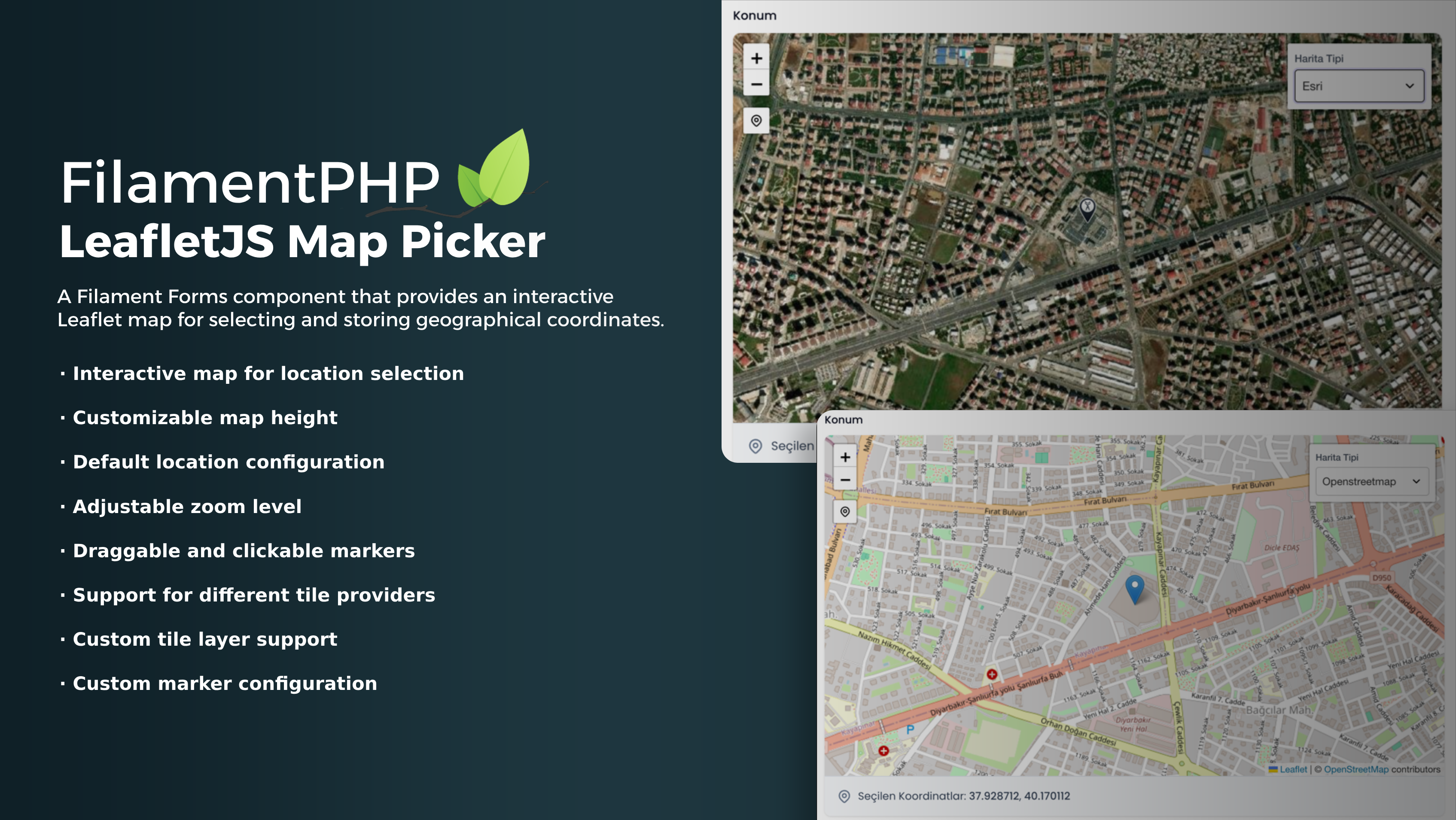
A Filament Forms component that provides an interactive Leaflet map for selecting and storing geographical coordinates.
Features
- Interactive map for location selection
- Canonical
{ lat, lng }state with legacy[lat, lng]and JSON string input support - Adjustable zoom level and map height
- Draggable and clickable markers
- "My Location" button for quick navigation to the user's current position
- Search modal backed by an explicit-submit geocoder request
- OpenStreetMap and Esri tile presets plus custom HTTPS tile layers
- Custom marker configuration
- Read-only display mode and Infolist entry support
Compatibility
| Package line | Filament | Laravel | PHP | Notes |
|---|---|---|---|---|
| v3.0.0 target | 4.x | 12.x | 8.2+ | Supported in this line |
| v3.0.0 target | 4.x | 13.x | 8.3+ | Supported in this line |
| v3.0.0 target | 5.x | 12.x | 8.2+ | Host app must provide Livewire 4 and Tailwind CSS 4 |
| v3.0.0 target | 5.x | 13.x | 8.3+ | Host app must provide Livewire 4 and Tailwind CSS 4 |
| v2.x | 3.x | Existing v2 support matrix | See v2 docs | Filament 3 stays on the v2 line |
Filament 3 support is intentionally not part of the v3.0.0 package line. If you are staying on Filament 3, keep using the v2 releases.
Installation
Install the PHP package in your Filament app:
composer require afsakar/filament-leaflet-map-picker
The package auto-discovers its service provider. Filament assets are registered with FilamentAsset and loaded on demand through the component views' x-load, x-load-src, and x-load-css attributes, so you do not need to copy the compiled JS/CSS into your app for normal usage.
If you want Leaflet's image assets published locally, you can still publish them:
php artisan vendor:publish --tag="filament-leaflet-map-picker-assets"
You can publish translations with:
php artisan vendor:publish --tag="filament-leaflet-map-picker-translations"
Optionally, you can publish the views with:
php artisan vendor:publish --tag="filament-leaflet-map-picker-views"
Database and model setup
Store the coordinates in a json or text column:
Schema::create('properties', function (Blueprint $table) {
    $table->id();
    $table->json('location')->nullable();
    $table->timestamps();
});
Cast the attribute to array in your model:
namespace App\Models;

use Illuminate\Database\Eloquent\Model;

class Property extends Model
{
    protected $fillable = [
        'location',
    ];

    protected $casts = [
        'location' => 'array',
    ];
}
Canonical state format and migration notes
The canonical saved state for v3 is:
{ "lat": 41.0082, "lng": 28.9784 }
The package still reads these legacy inputs while you migrate existing data:
- legacy arrays like
[41.0082, 28.9784] - JSON strings like
"{\"lat\":41.0082,\"lng\":28.9784}"
New writes should use the canonical object shape. If you already cast the column to array, Laravel will persist the object-shaped array cleanly in a json column.
Usage
Form
use Afsakar\LeafletMapPicker\LeafletMapPicker; LeafletMapPicker::make('location') ->label('Property Location') ->height('500px') ->defaultLocation(['lat' => 41.0082, 'lng' => 28.9784]) ->defaultZoom(15) ->draggable() ->clickable() ->myLocationButtonLabel('Go to My Location') ->geocoderEndpoint('https://nominatim.openstreetmap.org/search') ->geolocationTimeout(10000) ->geolocationHighAccuracy() ->hideTileControl() ->readOnly() ->tileProvider('openstreetmap') ->customTiles([ 'mapbox' => [ 'url' => 'https://api.mapbox.com/styles/v1/{id}/tiles/{z}/{x}/{y}?access_token={accessToken}', 'options' => [ 'attribution' => '© <a href="https://www.mapbox.com/">Mapbox</a>', 'id' => 'mapbox/streets-v11', 'maxZoom' => 19, 'accessToken' => 'YOUR_MAPBOX_TOKEN', ], ], ]) ->customMarker([ 'iconUrl' => asset('pin-2.png'), 'iconSize' => [38, 38], 'iconAnchor' => [19, 38], 'popupAnchor' => [0, -38], ]);
To show editable latitude and longitude inputs inside the picker, enable them on the picker and do not add separate sibling inputs for the same location state path:
LeafletMapPicker::make('location')
    ->showCoordinateInputs();
When enabled, the selected-location summary is hidden. The default is false, which keeps the summary visible.
The simplest canonical default location example is:
LeafletMapPicker::make('location')
    ->defaultLocation(['lat' => 41.0082, 'lng' => 28.9784]);
State synchronization behavior
- Clicking the map writes
{ lat, lng }into the field state. - Dragging the marker writes
{ lat, lng }into the field state. - Search result selection writes
{ lat, lng }into the field state. - Geolocation writes
{ lat, lng }into the field state. - When
showCoordinateInputs()is enabled, editing either coordinate updates the map and the canonical field state after the input changes. - If the Livewire/Alpine state is changed manually to a valid coordinate object, legacy array, or supported JSON string, the marker and map recenter to match it.
Table column
use Afsakar\LeafletMapPicker\LeafletMapPickerColumn;

public function table(Table $table): Table
{
    return $table->columns([
        LeafletMapPickerColumn::make('location')
            ->label('Location')
            ->height('240px'),
    ]);
}
The column renders a compact thumbnail: it marks the location with a small dot instead of a pin and hides the attribution control, which would otherwise cover most of the tile. The default height is 50px.
The column is read-only. It accepts the canonical { lat, lng } object and legacy arrays or JSON strings. Null and invalid values use the configured default only for visual map placement; they are not shown as a selected record location and never change the row state.
Infolist
use Afsakar\LeafletMapPicker\LeafletMapPickerEntry; LeafletMapPickerEntry::make('location') ->label('Property Location') ->height('500px') ->defaultLocation(['lat' => 41.0082, 'lng' => 28.9784]) ->tileProvider('openstreetmap') ->hideTileControl() ->customTiles([ 'mapbox' => [ 'url' => 'https://api.mapbox.com/styles/v1/{id}/tiles/{z}/{x}/{y}?access_token={accessToken}', 'options' => [ 'attribution' => '© <a href="https://www.mapbox.com/">Mapbox</a>', 'id' => 'mapbox/streets-v11', 'maxZoom' => 19, 'accessToken' => 'YOUR_MAPBOX_TOKEN', ], ], ]) ->customMarker([ 'iconUrl' => asset('pin-2.png'), 'iconSize' => [38, 38], 'iconAnchor' => [19, 38], 'popupAnchor' => [0, -38], ]);
Search, tile, and geolocation policy
- Built-in tile presets are limited to
openstreetmapandesri. - OpenStreetMap tile usage must stay on HTTPS and keep the provider's attribution visible.
- The default browser geocoder endpoint is
https://nominatim.openstreetmap.org/search. - Public Nominatim usage here is explicit-submit only. The package does not support autocomplete against the public endpoint.
- Keep public Nominatim traffic to roughly 1 request per second.
- Your application is responsible for any required
Referer,User-Agent, API key, custom tile contract, attribution, or provider-specific compliance. - The browser-side package does not spoof a
User-Agent, and browser control overRefereris limited by the host app and browser policy. - If you need higher traffic, backend credentials, bulk/offline tiles, or policy-controlled geocoding, use your own backend proxy or a commercial/provider-managed geocoder instead of the public endpoint.
- Offline/bulk tile distribution is outside this package; if you need it, bring your own compliant tile infrastructure.
Development checks
Run the package checks from the repository root:
composer install
npm install
npm run build
composer validate --no-check-publish
composer lint
composer phpstan
composer test
npm run test:js
Screenshots
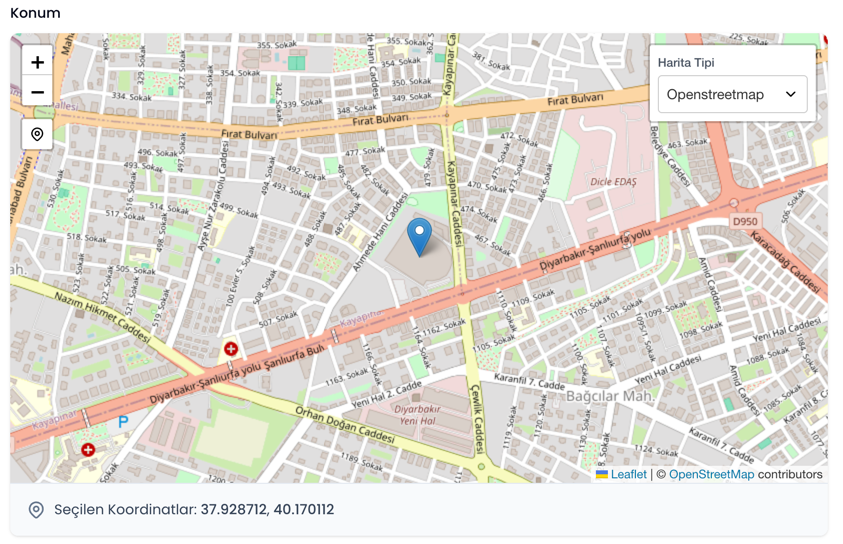
Default:
Custom Marker:
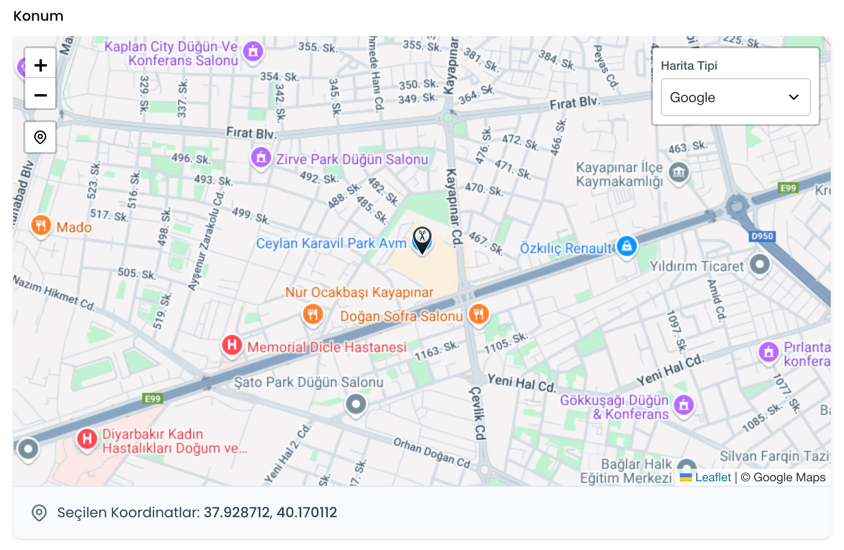
Custom Tile:
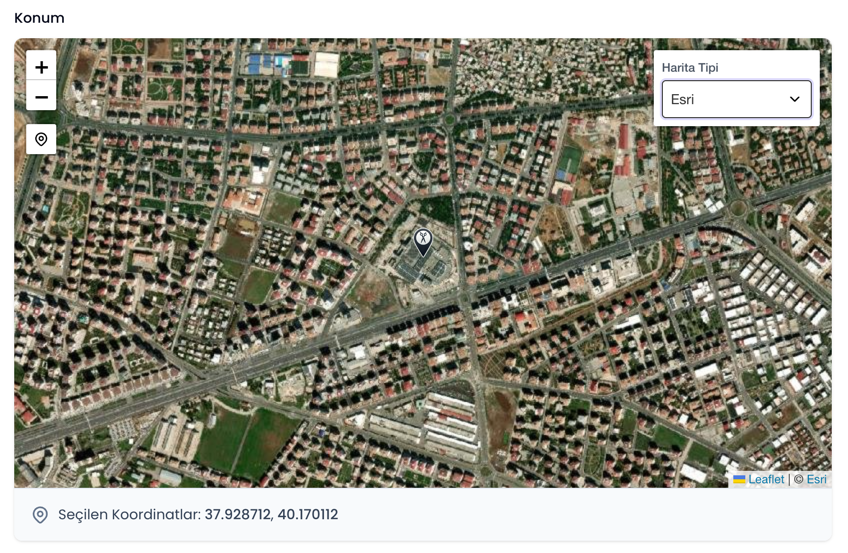
Changelog
Please see CHANGELOG for more information on what has changed recently.
Contributing
Please see CONTRIBUTING for details.
Security Vulnerabilities
Please review our security policy on how to report security vulnerabilities.
Credits
License
The MIT License (MIT). Please see License File for more information.