
useflex / media-studio

Self-hosted media library for Laravel with workspace storage, optional AI and Filament integrations.
Requires
- php: ^8.3
- illuminate/auth: ^12.0 || ^13.0
- illuminate/database: ^12.0 || ^13.0
- illuminate/filesystem: ^12.0 || ^13.0
- illuminate/routing: ^12.0 || ^13.0
- illuminate/support: ^12.0 || ^13.0
- illuminate/validation: ^12.0 || ^13.0
- maennchen/zipstream-php: ^3.2
- spatie/laravel-permission: ^8.0
Requires (Dev)
None
Suggests
- guzzlehttp/guzzle: HTTP client (^7.9 or ^8.0) for the optional Web Push transport.
- laravel/ai: Optional Laravel AI SDK (^1.4) for the configurable Studio chat assistant.
- laravel/boost: Optional development-time guidelines and media-studio-development skill discovery; not required by Studio at runtime.
- laravel/fortify: Optional standalone account module (^1.42): login, verified email, password reset and two-factor authentication.
- laravel/mcp: Optional Laravel MCP ^1.1 server for authorized AI client access.
- minishlink/web-push: Optional Web Push transport (^11.0) for desktop notifications.
- spatie/laravel-medialibrary: Optional Spatie Media Library v11 integration for existing media, collections and conversions.
- waguilar33/filament-guardian: Optional Filament role editor (^1.15) compatible with the required Spatie Permission v8.
Provides
None
Conflicts
None
Replaces
- useflex/media-core: v0.1.0
README

FLEX Media Studio
Media library for Laravel & Filament
Your media. Your infrastructure. One connected workflow.
Self-hosted digital asset management for your Laravel application and Filament panel.
Capture, organize and find images, videos and documents — then reuse them across forms and editors.
Connect your storage, collaborate with your team and add AI where it makes work easier.


Why Studio? · Feature catalog · Filament components · Getting started

Why choose Media Studio?
| What makes Studio worth choosing | What it gives your application |
|---|---|
| Every asset. One library. | Images, video, audio and documents in workspaces with folders, tags, favorites, comments and shared access. |
| Find it. Search by meaning. | Search names and tags, narrow results with filters, and enable content indexing, OCR and semantic retrieval when your installation needs them. |
| Ask naturally. Act in context. | An optional assistant that understands authorized library context and can find, tag and organize files through conversation. |
| Your media. Your infrastructure. | Self-hosted Laravel storage with local and S3-compatible disks, configurable CDN delivery, tenant isolation and role-based permissions. |
| One asset. Reused across your app. | Pick existing media in forms and editors using durable asset/version references, without uploading another copy just to select it. |
| Found online. Saved to Studio. | A browser extension for drag and drop, batch saving, screenshots, context-menu capture and bookmarks. |
Use Studio as a media workspace, embed its React interface in your application, or connect it to Filament. FLEX Fields is an optional integration; the library and native Filament components work independently of it.
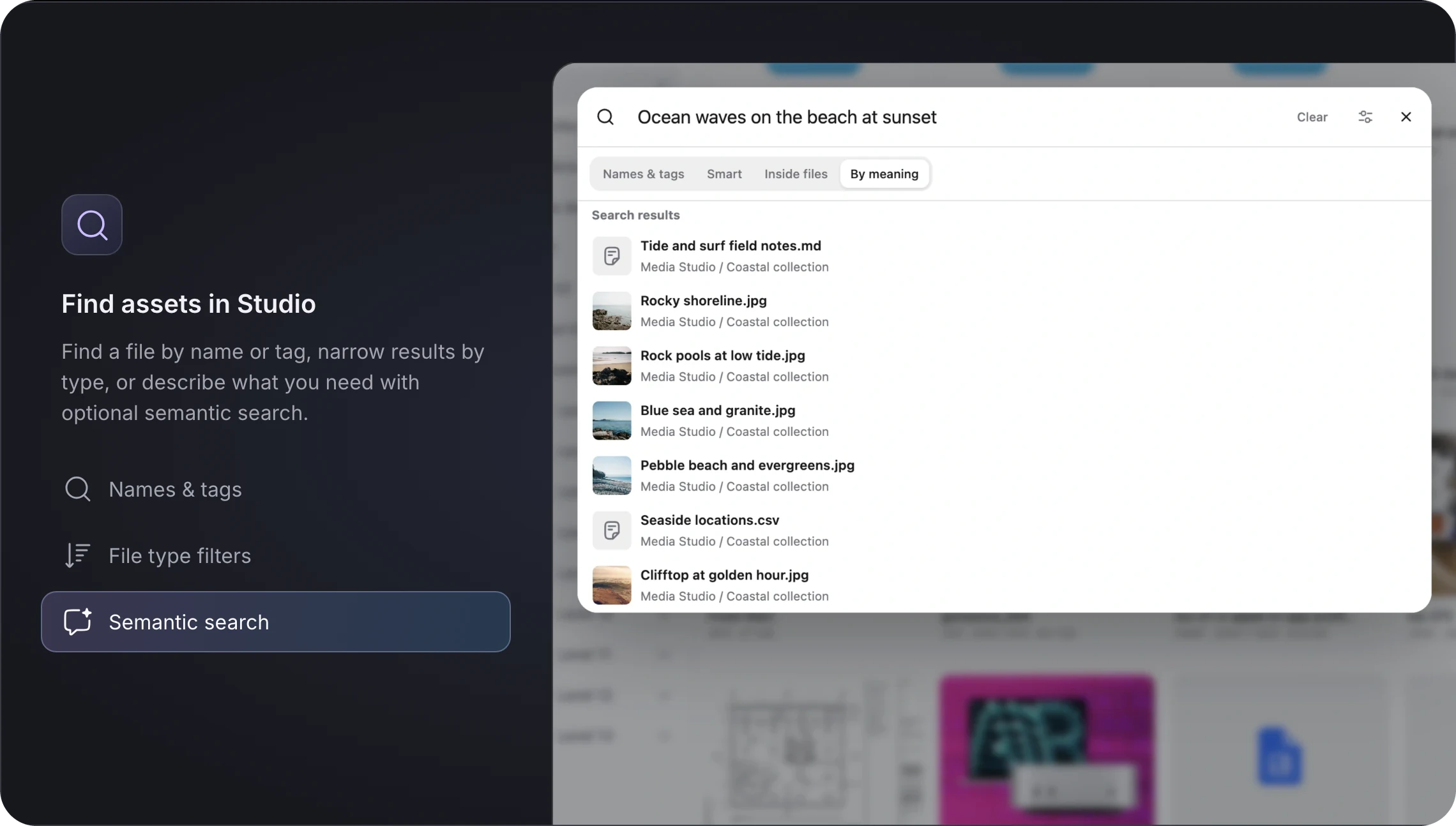
Find the file. Keep the momentum.
Search names and tags, narrow by file type, or describe what you need with optional semantic search. Use the same search panel for your library workflow.
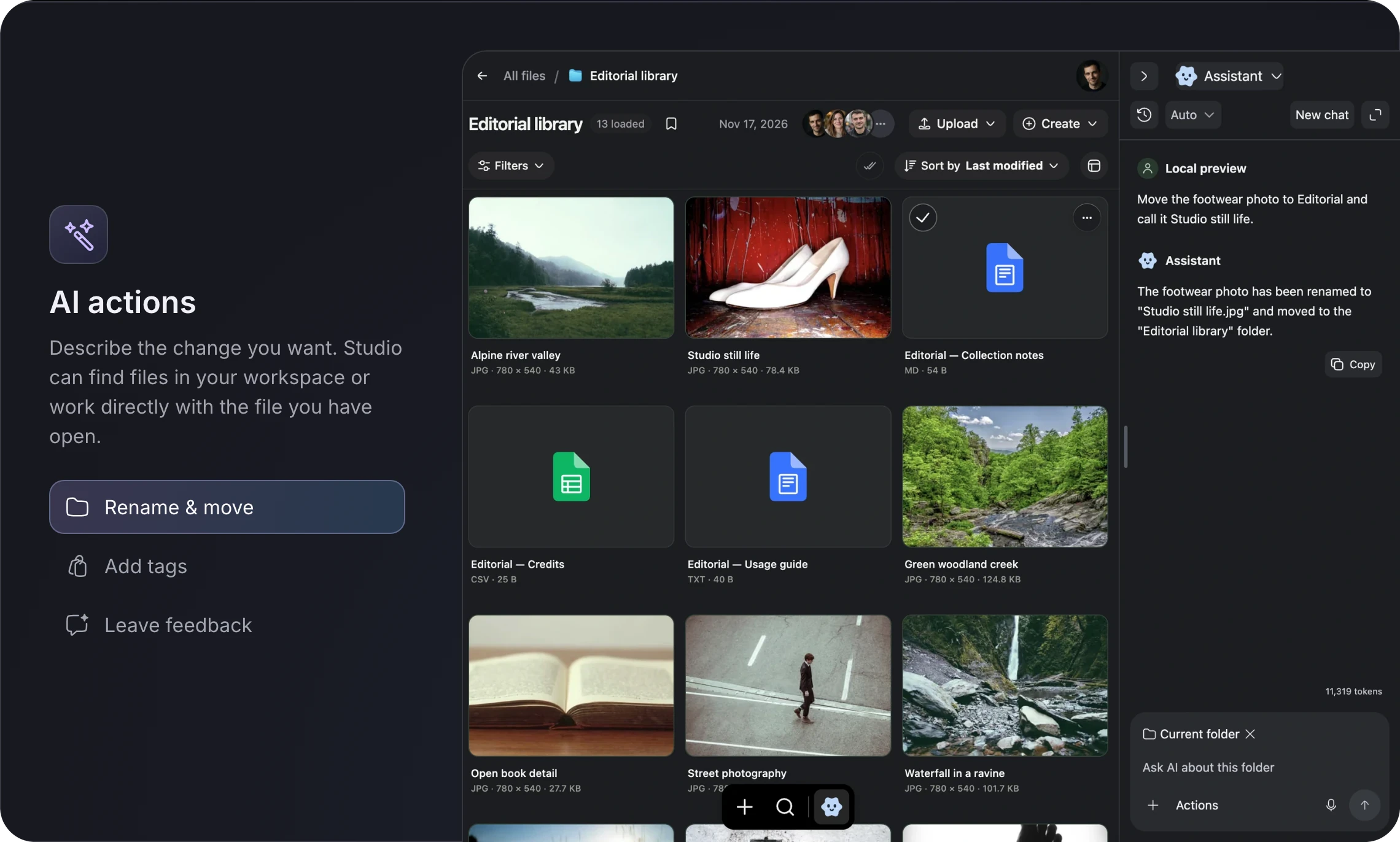
Describe the task. Let Studio help.
Find the right file without reproducing its exact name. The optional assistant works with authorized workspace context to rename, move, tag and discuss assets.
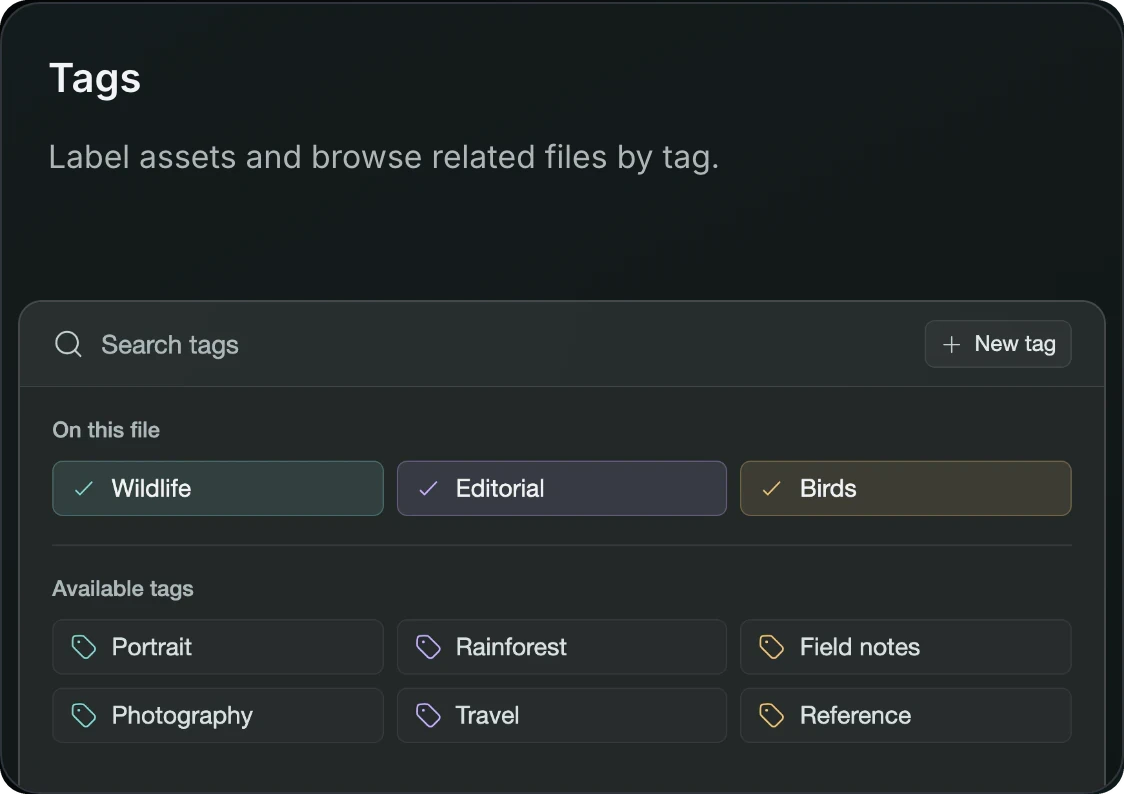
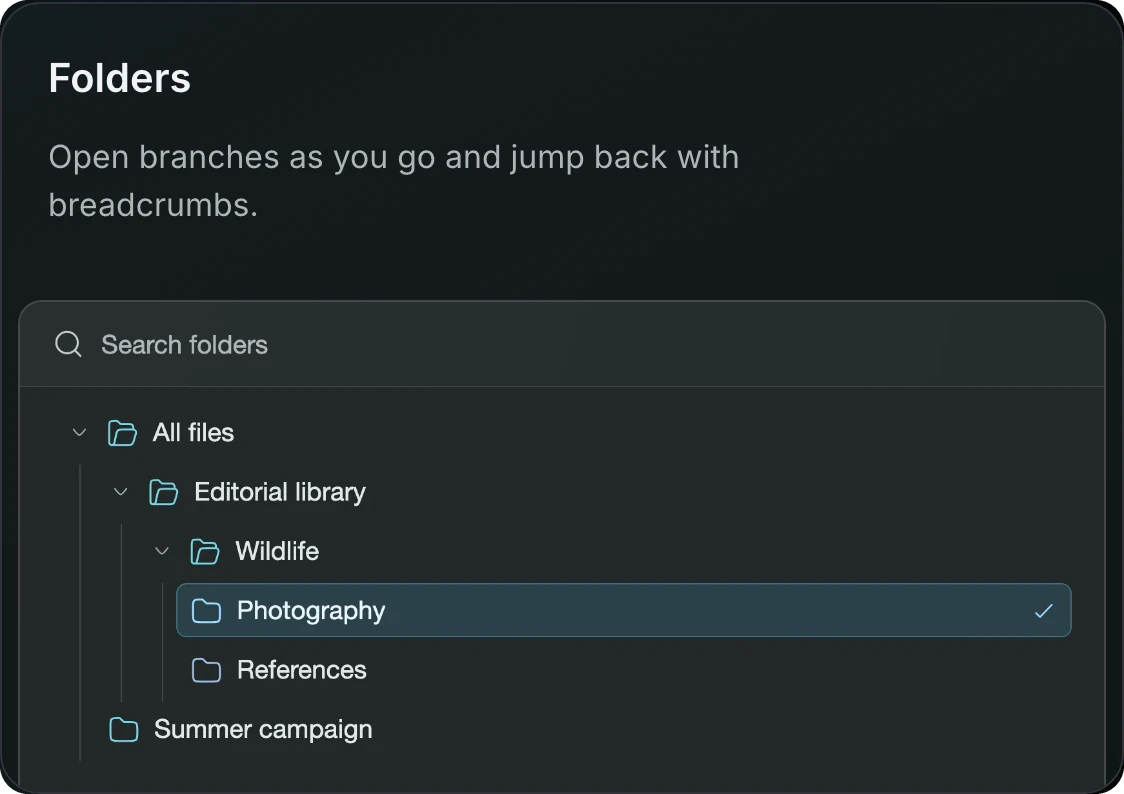
A place for every file and every team
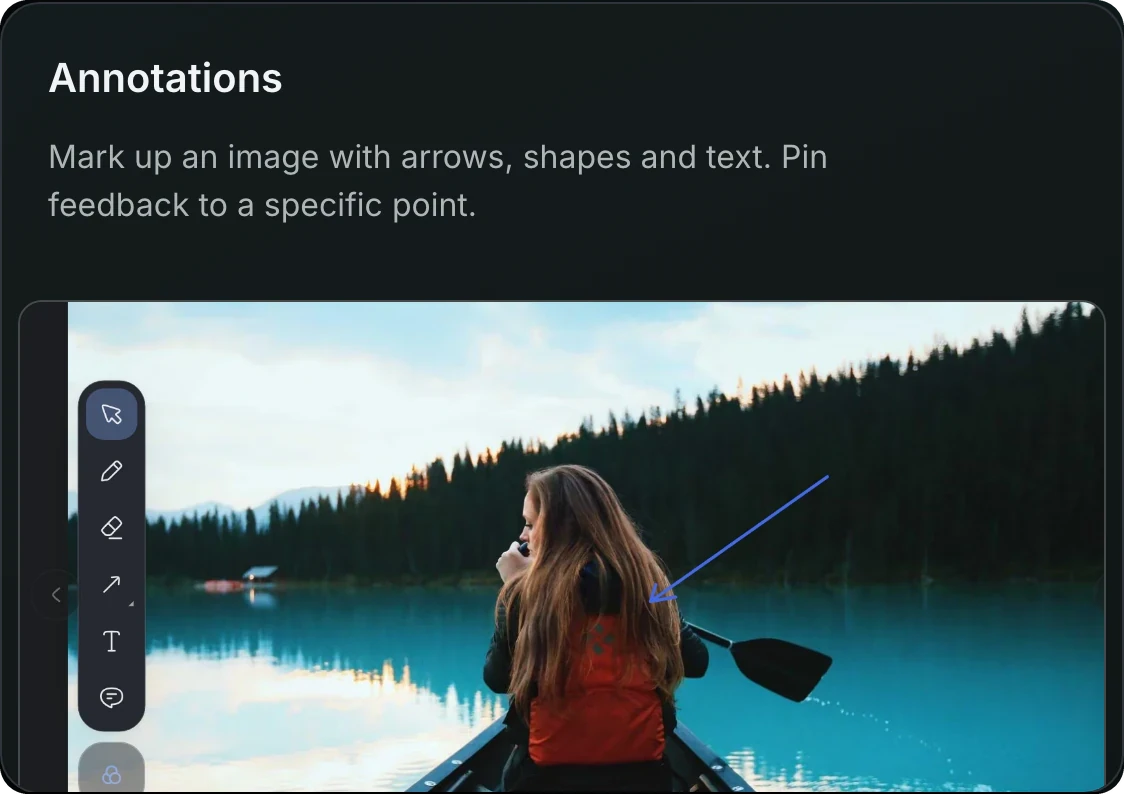
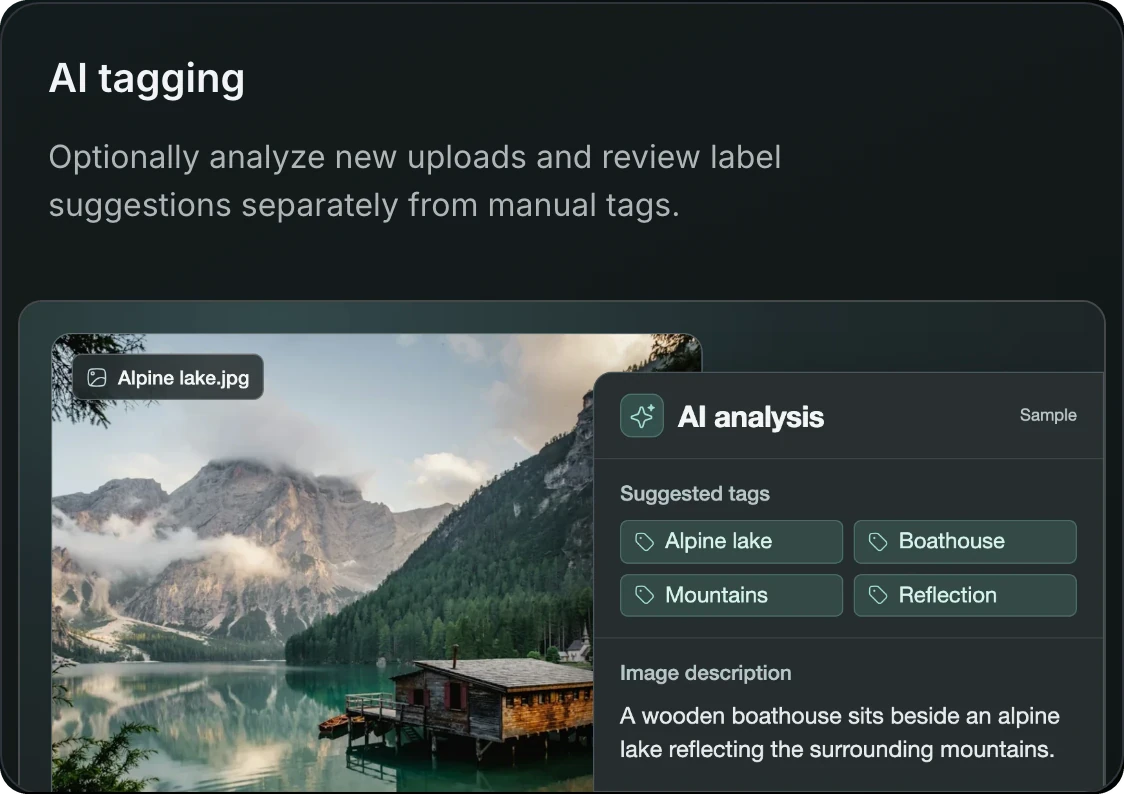
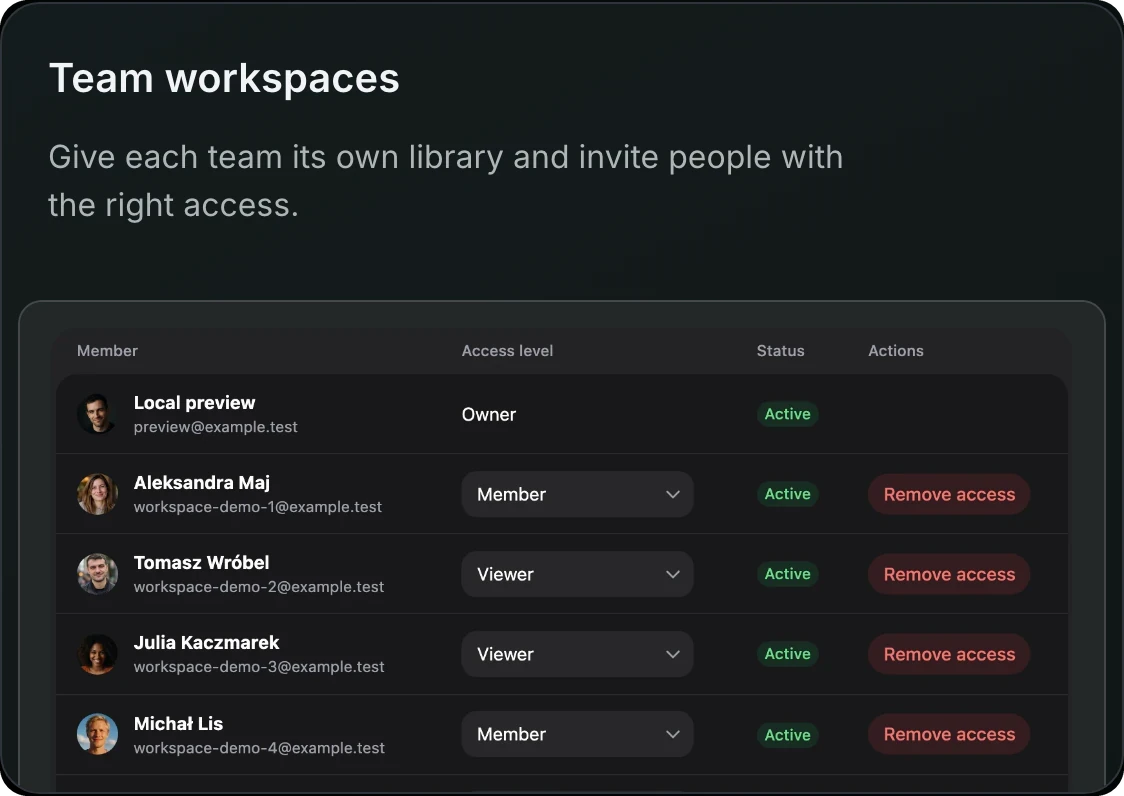
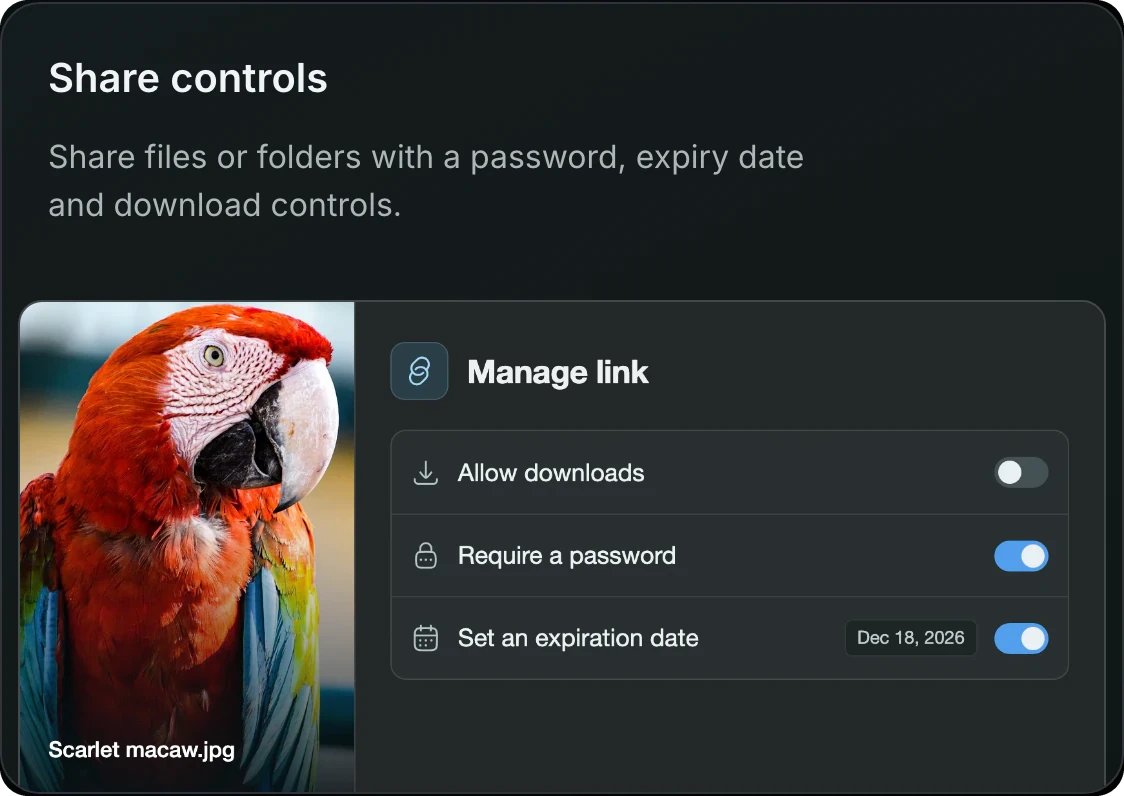
Keep reusable tags, folder navigation, visual feedback and workspace access together. Give each team a clear place to collect, review and reuse its media.
 |
 |
 |
 |
 |
 |
Save inspiration while you browse
FLEX Capture connects Chrome and Firefox to your Studio workspace. Open the extension, drag an image, collect a batch, capture a region or use the context menu.
 Drag & Drop |
 Batch save |
 Screenshot |
 Right Click |
Animations demonstrate the capture workflow using sample media; they do not represent a live transfer from your account. Optional extension setup and workspace permissions still apply.
The extension connects to your installation through an approved, scoped connection. Its file intake uses Studio’s authorized upload workflow and server limits.
Install FLEX Capture · Explore capture workflows
From first upload to final delivery
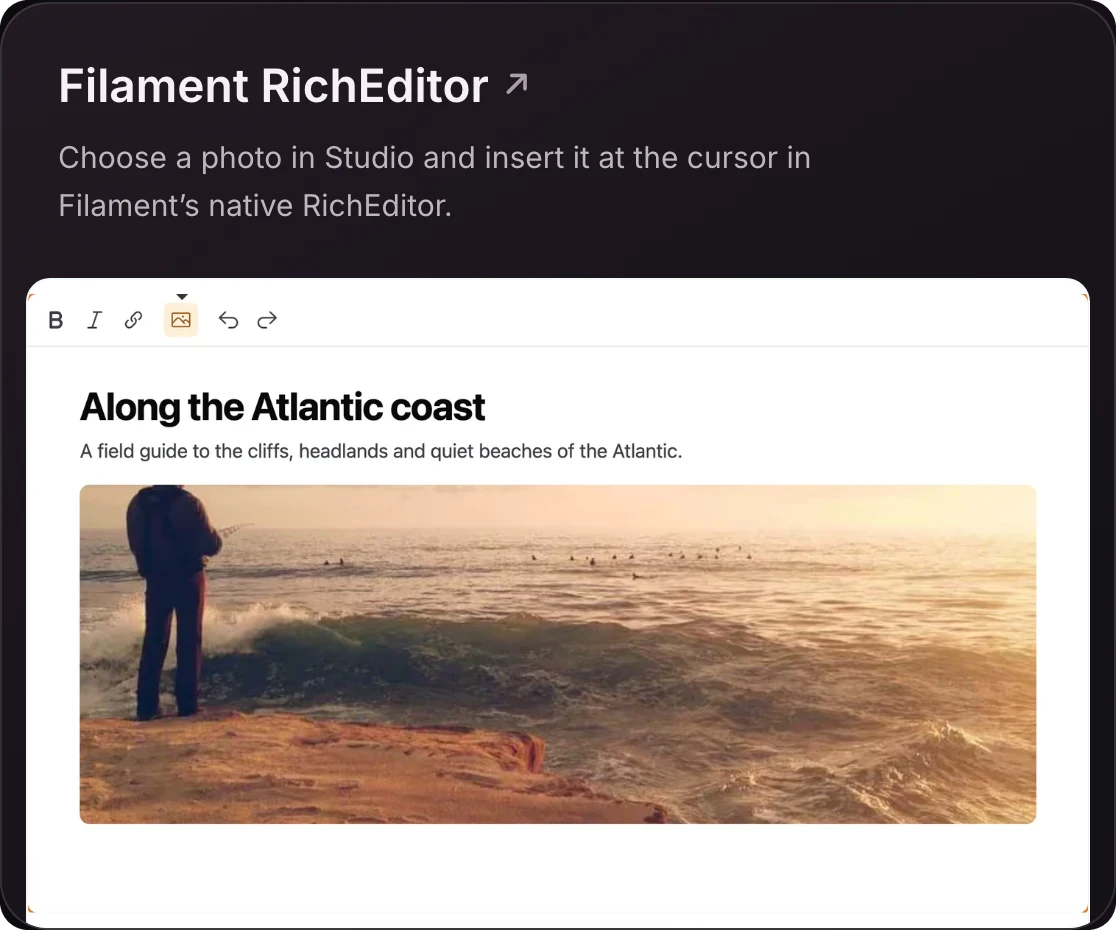
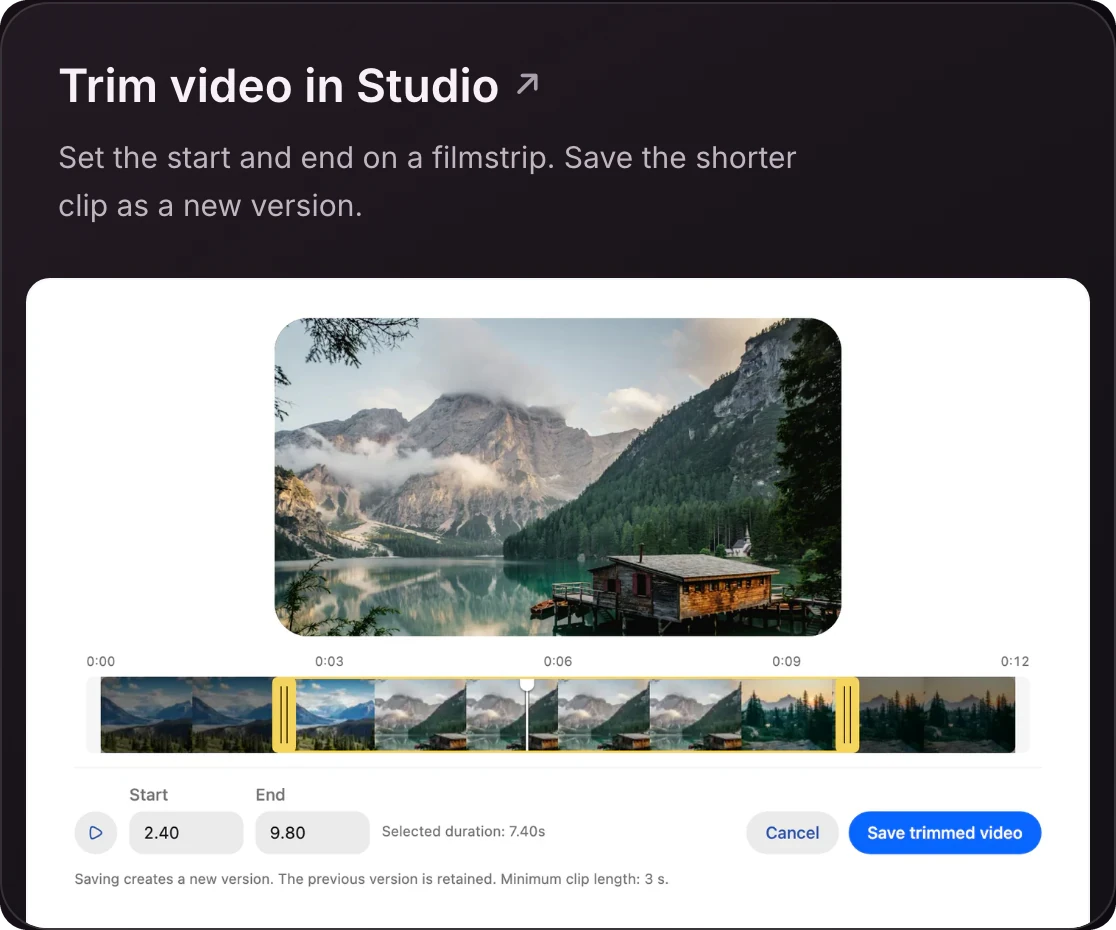
Bring Studio into your Filament editor and prepare video clips without leaving the media workflow.
 |
 |
Explore the complete feature catalog
Media library features at a glance
From the first upload to the files reused in your application, Studio connects the everyday details of a media workflow.
| Area | What you can do |
|---|---|
| Folders and navigation | Browse nested folders with cursor pagination, a virtualized sidebar, contextual breadcrumbs and direct folder links. |
| Tags and discovery | Add or remove manual tags with live suggestions, filter by tag language, and combine file type, extension, uploader, date and size filters. |
| Photos and favorites | Review images and videos in a date-grouped timeline, adjust thumbnail density and aspect ratio, and revisit favorites or recently opened files. |
| File information and notes | Maintain alternative text and captions, create rich notes, and collect web bookmarks through the browser extension. |
| File and folder uploads | Add individual files or folder hierarchies, monitor progress, pause/resume supported transfers and retry failures. |
| Large-file intake | Enable resumable upload sessions or direct S3 multipart uploads with server-defined limits and short-lived signed parts. |
| Preview and editing | Inspect supported images, PDF and Office documents, play audio/video, annotate images and trim eligible videos. |
| Image processing | Define named thumbnail and preview conversions, including AVIF, and choose the ready preset used by supported picker/upload fields. |
| Team review | Invite members, assign workspace roles, comment on files, mention teammates and receive configured in-app or desktop notifications. |
| Sharing and collection | Protect links with passwords and expiry, control downloads, and optionally accept guest uploads into a shared folder. |
| Share analytics | Enable per-link visit and duration reporting, with country breakdowns when trusted location data is configured. |
| Bulk work and archives | Move, trash or restore selections, and offer authorized ZIP collection downloads or optional background archive preparation. |
| Versions and Trash | Publish selected image edits explicitly, configure replacement/version retention, restore deleted entries and enable scheduled Trash cleanup. |
| Keyboard and clipboard | Record your own Mac/Windows shortcut bindings and paste supported clipboard files into the open folder through the normal upload pipeline. |
| Authentication and tenancy | Reuse host authentication and tenant context, or configure optional standalone accounts with email verification and two-factor authentication. |
| Language and presentation | Use light/dark themes, English/Polish catalogs, application-provided translations, RTL support, branding and timezone preferences. |
| Tenants and access | Scope workspaces to tenants, reuse host authentication and enforce operation permissions with Spatie Laravel Permission 8. |
| Existing libraries | Index configured disk sources or connect Spatie Media Library models, collections and conversions. |
| Private delivery and exports | Use local or S3-compatible storage, configured CDN profiles and background archive downloads. |
| Standalone or embedded | Use your application's login, embed the React interface, or configure optional standalone accounts with email verification and two-factor authentication. |
Capabilities follow the installation's configuration, supported file formats and the current user's permissions. Optional services and processors are enabled separately.
Library organization · Upload workflows · Keyboard and clipboard · Languages and RTL
Filament components
Bring the same media library into fields, editor attachments, tables, record details and actions. Configure accepted types, selection counts, upload destinations and browse scope in PHP.
| Component or integration | Use it for |
|---|---|
| Studio Media Picker | Select and reorder existing assets with list or grid previews, optional uploads and custom file actions. |
| Studio FileUpload | Connect native Filament uploads to a workspace and optionally choose existing Studio media. |
| Studio Media Column | Show authorized thumbnail previews in tables, with square, circular or stacked presentations. |
| Studio Media Entry | Present saved media in infolists and record details. |
| RichEditor | Insert Studio images through the native editor, including configured ready image conversions. |
| MarkdownEditor | Choose authorized images for Markdown content. |
| StudioPicker and actions | Build an application-specific selection action around the Studio modal. |
| FLEX Fields | Keep the FLEX upload and FlexRichEditor experience while connecting to Studio storage and references. |
PHP examples: select existing images and upload to a fixed folder
Choose images from an approved library
This example assumes Studio and its matching browser assets are installed. Resolve $workspaceId and $approvedImagesFolderId from trusted application context.
use UseFlex\MediaStudio\Integrations\Filament\StudioMediaPicker;

StudioMediaPicker::make('gallery')
    ->studio(
        $workspaceId,
        '/studio-assets/studio.js',
        '/studio-assets/studio.css',
    )
    ->scopedFolder($approvedImagesFolderId)
    ->acceptedFileTypes(['image/jpeg', 'image/png', 'image/webp'])
    ->multiple()
    ->minFiles(1)
    ->maxFiles(8)
    ->layout('grid')
    ->layoutSwitcher(false)
    ->reorderable()
    ->allowUpload(false);
The field stores pinned media references. Cast the model attribute to array for a multiple field. Selecting an existing asset does not transfer its original bytes again. Configure reference persistence and usage tracking alongside your normal model-saving flow.
Upload PDFs into a fixed destination
use UseFlex\MediaStudio\Integrations\Filament\StudioFileUpload;

StudioFileUpload::make('document')
    ->studio(
        workspace: $workspaceId,
        moduleUrl: '/studio-assets/studio.js',
        stylesheetUrl: '/studio-assets/studio.css',
        uploadFolder: $documentsFolderId,
        acceptedMimeTypes: ['application/pdf'],
        allowLibrarySelection: true,
    )
    ->maxSize(10 * 1024)
    ->openable();
Workspace permissions, accepted file policies and server limits still apply. Selecting from the library reuses a reference; uploading a new file enters Studio's storage and processing pipeline. Removing a reference from a form does not delete a shared original.
Filament setup · All configuration options · Tenancy · FLEX Fields integration
AI that works with your library
Describe the asset or the task instead of reproducing an exact filename. Enable the capabilities your workflow needs; they have independent configuration, processing and access checks.
| Capability | What it adds |
|---|---|
| Contextual assistant | Conversations with authorized file context and supported actions such as finding, tagging and organizing assets. |
| AI labels and descriptions | Visual analysis with reviewable suggestions, separate from manually managed tags. |
| Video analysis | Analyze a bounded set of sampled video frames and retain timecoded results. |
| OCR | Text extraction from images and scanned PDF pages using the configured OCR service. |
| Semantic and hybrid search | Meaning-based retrieval through Meilisearch's configured embedder. |
| AI image editing | Generate candidates, review the results and explicitly choose which version to publish. |
Chat, visual analysis, OCR and embeddings can use different providers. Enabling one does not automatically scan the entire library or enable the others. External providers receive the inputs your installation authorizes and sends to them.
AI setup · Providers · Limits and operations
Storage, image conversions and private media delivery
Keep originals on a configured Laravel disk. Generate the image conversions your interface needs, deliver them through the configured storage or CDN, and reuse asset identity across the application.
| Your workflow | Studio's role |
|---|---|
| Image delivery | Named conversions with configurable dimensions, format, quality and metadata handling. Default native image presets use AVIF. |
| Document previews | Optional PDF and document thumbnail processing, plus supported Office and PDF previews in the browser. |
| Video | In-browser playback, trimming and optional background poster or playback generation. |
| Existing libraries | Optional Spatie Media Library integration and indexed disk sources, without moving originals simply to browse them. |
| Private delivery | Authorization-aware file access, configured S3 policies and optional CDN delivery profiles. |
| Versions and cleanup | Explicit version publication, configurable replacement policies, Trash and optional retention-based permanent cleanup. |
Conversions and specialized previews depend on enabled processors, supported formats and their runtime dependencies. Queued processing needs a running worker. S3 encryption policies are supported; the separate portable application-encryption driver remains experimental. Studio does not imply that every deployment is fully encrypted.
Storage · Image conversions · Document thumbnails · CDN delivery · Encryption
Connect your application and your AI tools
| Integration | Where to start |
|---|---|
| React SDK | Embed Studio with your transport, theme, locale, branding and configured capabilities. |
| REST API | API documentation for application integrations and authenticated media operations. |
| MCP | Connect compatible AI clients with scoped tools, workspace access and operation permissions. |
| CLI | Command-line workflows for imports, planning, transfers and automation. |
| Laravel Boost | Studio development guidance and skill for coding agents working on integrations. |
| Plugin center | Slack integration and configurable application connections. |
The in-app assistant, external MCP access and Boost's development skill serve different purposes. Enable each independently. Neither a client connection nor a coding skill grants access to private media by itself.
Getting started
Start with the installation guide. The source-available Composer package includes the Laravel integration, Media Core and matching prebuilt browser assets. No Node.js build is required to install it.
composer require useflex/media-studio:^0.1.0
php artisan vendor:publish --tag=media-studio-config
php artisan vendor:publish --tag=media-studio-migrations
php artisan vendor:publish --tag=media-studio-assets --force
php artisan migrate
Configure your private disk and authenticatable principal before using Studio. Development and noncommercial personal use are free; purchase a commercial license before business production.
The Laravel package declares PHP 8.3+ and Laravel 12 or 13. The interface uses React 19. Spatie Laravel Permission 8 is a core dependency. Filament 5, FLEX Fields, Spatie Media Library, AI services, search and MCP are optional integrations with their own dependencies and setup.
- Install the matching packages and browser assets through your distribution.
- Configure your authenticatable principal, private storage and workspace access.
- Apply the relevant migrations and grant the required operation permissions.
- Choose the standalone interface, embedded React interface or Filament integration.
- Enable only the processors and integrations your application needs; start their workers as required.
Installation · Configuration · Filament setup · Operations
Find the right integration for your application
Find the solution your application needs
| You are building… | Start with… |
|---|---|
| Product galleries and editorial media | Studio Media Picker and RichEditor. |
| An approved document library | Folder-scoped selection, PDF previews and sharing. |
| A multi-company application | Tenant isolation and Filament tenancy. |
| A searchable visual archive | AI labels, OCR and semantic search. |
| An existing media collection | Spatie Media Library or indexed disk sources. |
| A team capture workflow | Browser extension, members and comments. |
| Automated imports and external tools | CLI, REST API and MCP. |
Questions before you integrate
Do I need Filament or FLEX Fields?
No. The Laravel library and React interface are independent. Filament provides optional form, table, infolist and editor adapters. FLEX Fields adds an optional integration with its own upload and rich-editor components.
Does choosing a Studio file upload it again?
No. Library selection stores an asset/version reference. A new upload creates media through the upload pipeline. Reusing an existing file does not create a second binary copy just because another form selected it.
Can I restrict a field to PDFs, images or a specific folder?
Yes. Configure the supported adapter's MIME allowlist, browse scope, upload destination and minimum/maximum selection count. Client controls guide selection; the server rechecks access and the configured constraints when resolving the result.
Does Studio require AI or a search service?
No. The core library works without generative AI or Meilisearch. The assistant, visual analysis, OCR and semantic search are independently configured optional capabilities.
Can I keep my existing Spatie Media Library?
Yes. The optional adapter indexes existing media and works with your configured models, collections and conversions. It does not require copying every original into a new directory just to browse it.
Do large folders load the entire library into the browser?
Folder navigation and large lists use paginated requests and virtualized views. Breadcrumbs return a bounded context instead of requiring the full ancestry in every response. Your dataset, indexes, processors and deployment still determine actual performance.
Where are the source code, downloads and license terms?
Use is governed by LICENSE, with plan details in COMMERCIAL.md. Buy a commercial license for business production. Installation and release availability are described in the installation guide.
Part of the FLEX family
| Product | What it brings |
|---|---|
| FLEX Fields | Advanced Filament form components, including uploads and rich editing that can connect to Media Studio. |
| FLEX Theme | A coordinated panel experience with visual theme configuration and light/dark presentation. |
| FLEX Media Studio | A shared, self-hosted media workspace for your Laravel application and its integrations. |
Each product has its own installation and configuration. Use the combination your application needs.
Build your media workflow with Studio
Choose how your team captures, organizes and reuses files. Keep the library connected to the storage, forms and tools you use.
Explore the documentation · Filament components · AI capabilities · Browser extension
If Studio fits your workflow, star the repository to help other Laravel and Filament developers discover it.
Support the FLEX family
Help sustain the development of Media Studio and the FLEX ecosystem through GitHub Sponsors or Buy Me a Coffee.
Report an issue · Discussions · Changelog · Support · Contributing · Code of conduct · Security · Credits
Free personally. Licensed commercially.
Use Media Studio free for personal, noncommercial projects, education and evaluation. Commercial production—including internal business tools—requires a license.
| Single Project | Unlimited | Business |
|---|---|---|
| $99 one time | $299 one time | $999 one time |
| One commercial application | Unlimited own and client projects | Unlimited + 12 months of priority product support |
All plans include every feature, 12 months of updates and perpetual use of covered versions. Prices are USD before applicable tax. Hosting, storage and third-party AI services are separate.
Buy a commercial license · Compare plans · License terms
© 2026 Bartłomiej Janczak.